
I've been playtesting the iCade for a few weeks now to see how it holds up under "real world" use. The iCade began as a joke product on ThinkGeek's website but was then produced by ION Audio as a real, working arcade cabinet for the iPad. Using Bluetooth to connect to your iPad, the iCade provides a very realistic arcade feel. There are, unfortunately, some major drawbacks. Read on for a full rundown of the hardware and software used to simulate those days of yore, when buttons were meant to withstand hours of abuse and time playing was measured in quarters, not $0.99 increments.
Hardware assembly and quality First, you'll have to assemble the iCade. While not complex, I found the little plastic grommets used to hold the back panel in place could split if overtightened, so watch out for that. The materials used in the iCade are all quite good, really. It's plywood and plastic, yes, but so were arcade cabinets in the 80s. The joystick and buttons feel like they came from a professional supply that you'd find on a decent MAME cabinet. One thing that bothered me was that in every review I'm seeing different art on the cabinet. Personally I'd like to choose a specific pattern, but it doesn't appear to be possible. The picture at ThinkGeek has the coolest artwork, but that's not on the demo unit we received. Go figure.
Power for the iCade is provided by a couple of AA batteries, but if you purchase a power supply, you'll be able to plug the thing in. I found the batteries lasted through several hours of gaming, so unless you use this daily, I doubt you'll need to plug yet another device into the wall.
Speaking of power, while there is a place to "dock" the iPad, it is not a dock with pins. It's simply a plastic molded bracket that holds your iPad in place. While this works OK, I wound up adding a couple of pieces of sponge packing material to the sides of the iPad, effectively wedging the iPad securely into the iCade. As we wound up moving the iCade around among players, this was helpful in securing it. The iCade features rubber feet (self-adhesive, included in the box), keeping the unit pretty stable. But if your kids get aggressive with it, the iPad can move around a bit in the plastic dock.
There's a top panel that rotates out of the way, covering the iPad and finishing the look. The top panel also includes a handy reference for the button mapping (sort of -- more in a moment on this) and how to get started. The information is really just about getting started, so I guess the only use is if you sell this in a garage sale. The buttons are actually numbers (and the joystick can input numbers), used to pair your iPad with the iCade. Honestly, this is clunky at best, and most of those buttons aren't really used in the games for the iCade. But as I said, the buttons and joystick are excellent quality, and I'm not sure what else ION could have done here other than adding another costly component like a numeric keypad.
One nice touch: when the iCade is powered up and ready to go, the place where you would normally insert a quarter lights up. You can see this in the gallery.
Hardware playability If you're worried about lag from Bluetooth, rest assured you'll never notice with the iCade. Given the only compatible games are from decades ago, you won't be too worried about any lag. In all of my testing it was never an issue.
The buttons and joystick are very high quality. The entire panel comes as one piece, professionally assembled elsewhere, and I feel like the unit will stand up to years of button mashing abuse. The joystick has a metal stick and red plastic ball, just like a real joystick. It's an 8-way stick, like a traditional arcade joystick, and it performs admirably.
The only problem with the buttons? There are too many. Given the fact that the games supported by the iCade thus far are limited to a bunch of Atari 2600 games and a few of the arcade games (much more on this in a moment), once you enter the Bluetooth pairing code, they wind up getting in the way. Sure, you can do a few things, like switch to black and white and whatnot, but that's not really helpful. There are no instructions on how each set of buttons matches up to games, either, so it often becomes a trial and error process to find out what works. Typically the rightmost, lower white button is your main action button. But even the joystick can have a slight learning curve, as I discovered with Asteroids.
Software compatibility As other reviews have pointed out, the faux-wood and black plastic elephant in the room would have to be that the iCade only supports one app. Atari's Greatest Hits is certainly a serviceable retro gaming app, complete with a number of 2600 and arcade games, but the iCade seems like overkill for such an outing.
Compounding the problem is that the iCade really only fully supports the 2600 games. Which begs the question, why not just make a real Bluetooth 2600 joystick? It'd be cheaper, more accurate and unquestionably perfect for the job. Some Atari arcade games are supported, whereas others are comically impossible to play -- mostly the ones that rely upon landscape view!
Don't get me wrong, my kids had a great time playing Centipede, Millipede, even Adventure, but we have Adventure on one of those cheapo "plug into your TV" controllers that is almost exactly like an old Atari controller (except for the weight, thanks to a 9-volt battery inside). That thing does a great job, whereas the iCade can be a little confusing with all the extra buttons.
If the iCade supports more games in the future, it'll be one of the best accessories out there and possibly the coolest accessory for gaming. For right now, you'd have to be a pretty huge Atari fan to justify the US$99.99 price at ThinkGeek, not to mention the constant cycle of backorders.
That said, the fact that this thing keeps going into backorder means some people are really digging it. I will agree that some games, like Centipede, Crystal Castles, Battle Zone, Tempest and a handful of others are really fun on the iCade. Since you can buy all the games for the Atari app for less than $20, once you break down the cost, you're looking at about $6 per "great" game you can play. The rest are just sorta OK. I mean, do you need an arcade interface to play Basic Math? Considering that price is still cheaper than trying to maintain a real Atari 2600 (I have known people who do this) and find thrift store cartridges, it's a question of how much you're into retro gaming.
Final thoughts If you are looking for a great gift for a retro gamer, or just nostalgic nerds in their 30s (like me), the iCade will wow someone. If you're looking for a MAME cabinet or something similar, you'll be disappointed. I can't say enough good things about the hardware on the iCade -- it is built well and it's clear it'll stand up to heavy use. Even at just a penny under a hundred bucks it's not a bad price for the quality. But you'll have to determine whether or not you can suffer the limited software catalog to justify owning one. In my case, there are probably other ways to burn my cash, be it on the App Store or on a more versatile accessory like the Fling.
Update: My one gripe with the iCade was the singular app available from Atari. Well, today ION announced on Twitter that an SDK is available for developers. Here's looking forward to more games for the iCade! By the holiday season this will be a must-have gift, I think.
iCade, the almost-ultimate gaming accessory for your iPad (updated) originally appeared on TUAW - The Unofficial Apple Weblog on Fri, 24 Jun 2011 00:00:00 EST. Please see our terms for use of feeds.
Source |
Permalink |
Email this |
CommentsSource: http://www.tuaw.com/2011/06/24/icade-the-almost-ultimate-gaming-accessory-for-your-ipad/
apple computer news itouch apps store google app store apple tech news


 Video streaming service Hulu is expanding its reach to Android, but the app only works on six smartphones so far.
 A 26-year-old man who last year helped hackers steal personal information belonging to about 120,000 iPad users pleaded guilty to fraud and hacking charges in a New Jersey court Thursday.

 In case you missed a few, here are Macworld's biggest stories from the week gone by.


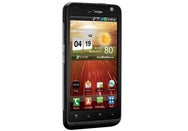 The LG Revolution has beautiful hardware and fast 4G data speeds on Verizon, but the user interface is a bit clunky.